AUTODOCS / AI PRODUCT / CASE STUDY
Paperwork comes in.
Useful data comes out.
An AI product for businesses and the people handling their accounts. Collect receipts and invoices, extract the details, and keep the work moving, all in one workspace.
- OUR ROLE
- Product design & full-stack development
- CORE WORK
- AI processing, integrations & automation
- CATEGORY / YEAR
- AI Product / 2026
AutoDocs / Workspace
01 / MEET PEOPLE WHERE THEY WORK
Less chasing files.
One place to find them.
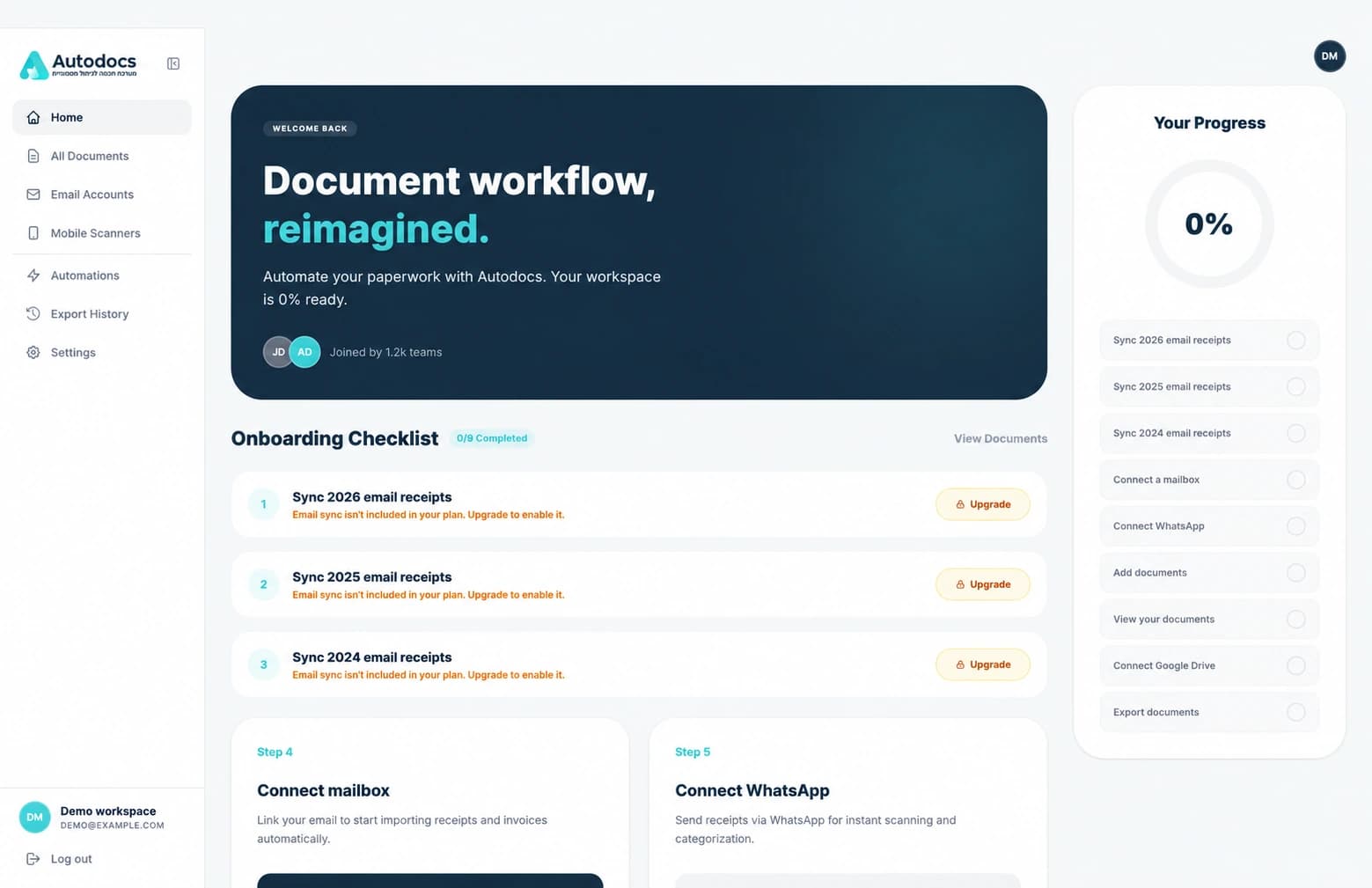
Receipts arrive in inboxes, on phones, and as downloaded files. We connected those entry points to the same document workspace, so organizing the paperwork does not start with another round of forwarding and retyping.
Receipts in messages and attachments.
Send a document from your phone.
Upload
Add a PDF or an image directly.
A shared
document workspace
Collect → extract → organize
Inside the implementation
Email processing handles supported attachments and document information in message bodies. WhatsApp and manual uploads feed the same document pipeline. PDFs and supported image formats enter background processing, keeping collection separate from extraction.
02 / THE AI AT THE CENTER
More than reading text.
Understanding the document.
A receipt, an unpaid invoice, and a payment reminder can look similar. AutoDocs extracts the details and identifies the financial context, giving the next step something useful to work with.
ILLUSTRATIVE SOURCE DOCUMENT
North Studio
INVOICENS-104
09 October 2026
VAT (18%)₪ 180.00
Total₪ 1,180.00
Payment due: 23 October 2026
AI extraction
STRUCTURED DETAILS
- Supplier
- North Studio
- Document
- Invoice NS-104
- Date
- 09 Oct 2026
- Subtotal
- ₪ 1,000.00
- VAT
- ₪ 180.00
- Total
- ₪ 1,180.00
Illustrative example using synthetic invoice data.
What kind of document?
Separate financial information from unrelated messages.
Which details matter?
Supplier, amount, currency, date, tax, and line items.
What happened financially?
Payment, refund, pending charge, or a reminder.
For product and engineering teams
The extraction service produces structured fields and financial-event classifications from PDFs, images, and email text. It distinguishes document type from transaction state, supports split-payment events, and reconciles monetary fields. Background workers handle processing states and provider retry paths. The product retains the source and editable values because AI output still needs context and user control.
03 / KEEP PEOPLE IN CONTROL
Let AI do the reading.
Let people check the details.
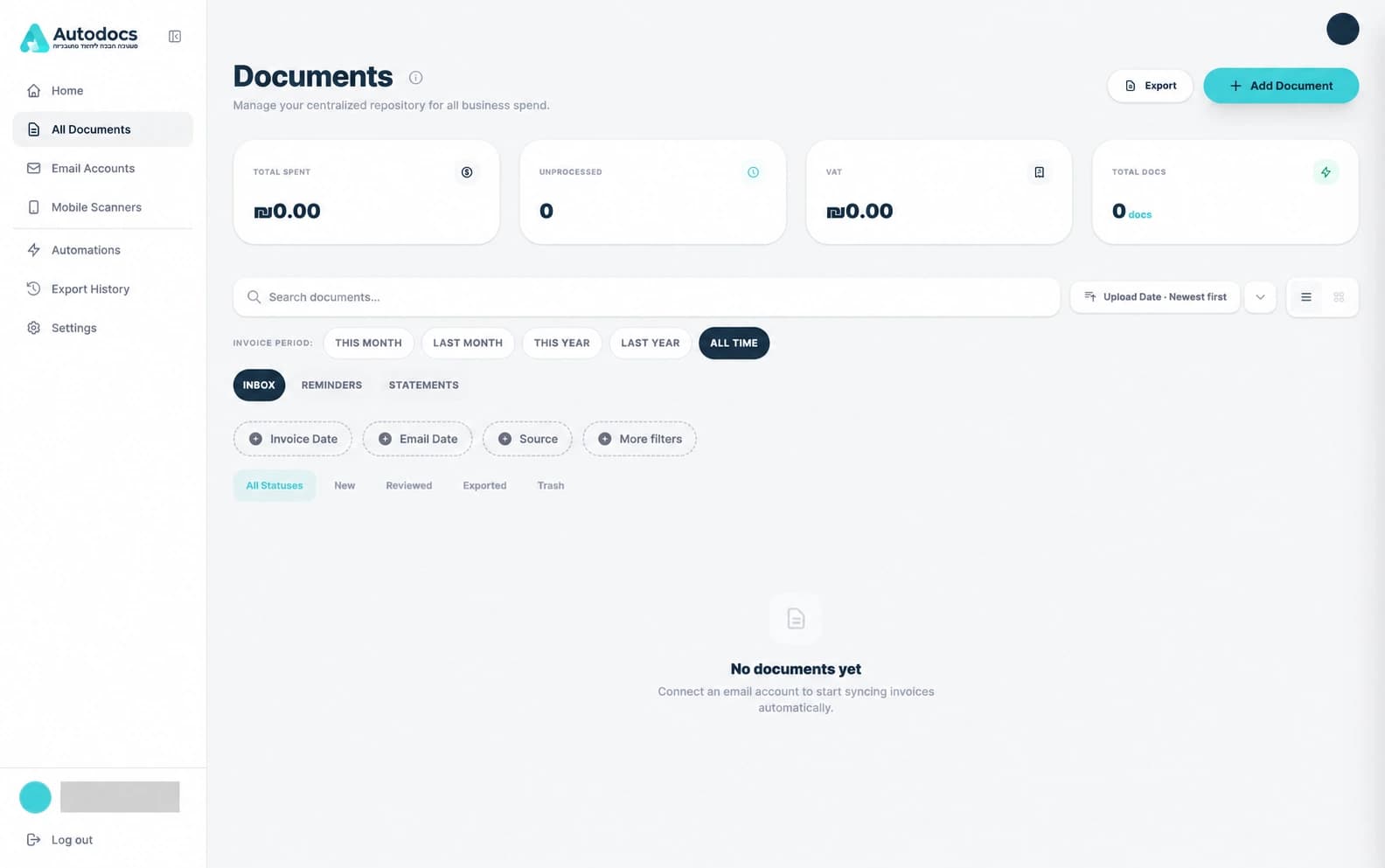
A useful result is one you can inspect. AutoDocs brings the original document and its extracted fields together, with controls to correct the supplier, amount, date, category, and payment status.
See where the
details came from.
- Preview the original document
- Edit the extracted fields
- Filter, organize, and act in bulk
Human control is part of the workflow.
AutoDocs / Product view
Inside the implementation
The document detail view initializes an editable form from the extracted record and saves changes through the attachment update API. The list supports source and document filters, sorting, selection, and bulk actions. Review is available to the user; the product does not require manual approval of every extraction.
04 / MAKE REPEAT WORK REPEATABLE
Your rules.
Applied consistently.
Once the details are available, recurring decisions can become rules. Match documents by supplier, source, type, or other fields, then set the category, business entity, supplier, or status.
ILLUSTRATIVE AUTOMATION RULE
Organize studio invoices
Supplier is North Studio
Document type is Invoice
AI extracts the details. Rules apply your choices.
Inside the implementation
Rule fields use controlled selects, number inputs, or date inputs where appropriate. Vendor and category matching resolve against the same references shown in the document interface, with fallback support for older extracted values. Plan-aware feature access and a “view affected documents” flow connect rule setup back to the document list.
05 / GMAIL INTEGRATION & CASA AL1
Connecting an inbox
also means earning trust.
Email collection was central to the product. Our work included the Gmail connection and the CASA AL1 assessment work required for this integration, alongside the controls and evidence needed to review how the application handles access.
Controlled access
OAuth connection and workspace access boundaries.
Assessment evidence
Authentication, sessions, access controls, and scoped testing.
CASA AL1 / Integration assessment work
Assessment scope and integration details
CASA AL1 was completed for the Gmail integration. The assessment work covered the customer application and its first-party API, with control evidence, authenticated testing, and remediation review. Google OAuth verification is a separate process from the CASA assessment.
Gmail restricted-scope access comes with additional requirements. Read Google’s verification requirements ↗
06 / TAKE THE WORK TO ITS NEXT STEP
Organized documents.
A useful accounting handoff.
The workflow does not end at extraction. Users can export selected documents or a date range, choose a suitable format, and track what is processing, completed, or needs attention.
Choose the documents
A selection or a date range.
Choose the handoff
Download, email, or cloud storage.
Keep track of the result
Status, history, and available actions.
Inside the implementation
Export history refreshes while jobs are pending or processing. Download actions check whether files are still available; failed and expired exports have distinct states. Restart controls depend on whether the export has the information needed to retry. These operational states are part of the product experience.
07 / WHAT EKYON BROUGHT TOGETHER
An AI feature needs
a product around it.
The screens, processing, integrations, and day-to-day controls all need to agree. We built those parts together, so AutoDocs could support the workflow from the first document to its next destination.
- Product & interface
- Onboarding, document workspace, review, rules, and export journeys.
- AI & backend
- Financial-document extraction, processing queues, data models, and failure handling.
- Connected services
- Email, WhatsApp, cloud storage, and accounting export workflows.
- Platform operations
- Accounts, teams, plan-aware features, administration, and CASA AL1 assessment work.
FOR YOUR NEXT AI PRODUCT